Second Brain for You and Your Agent
Models got good. The real bottleneck now isn't the model. It's how much context it has about you and your work. So I rebuilt my Obsidian vault into a structured second brain Claude can read and write. It serves both my personal life and Baselife, the journal and life calendar I'm building.
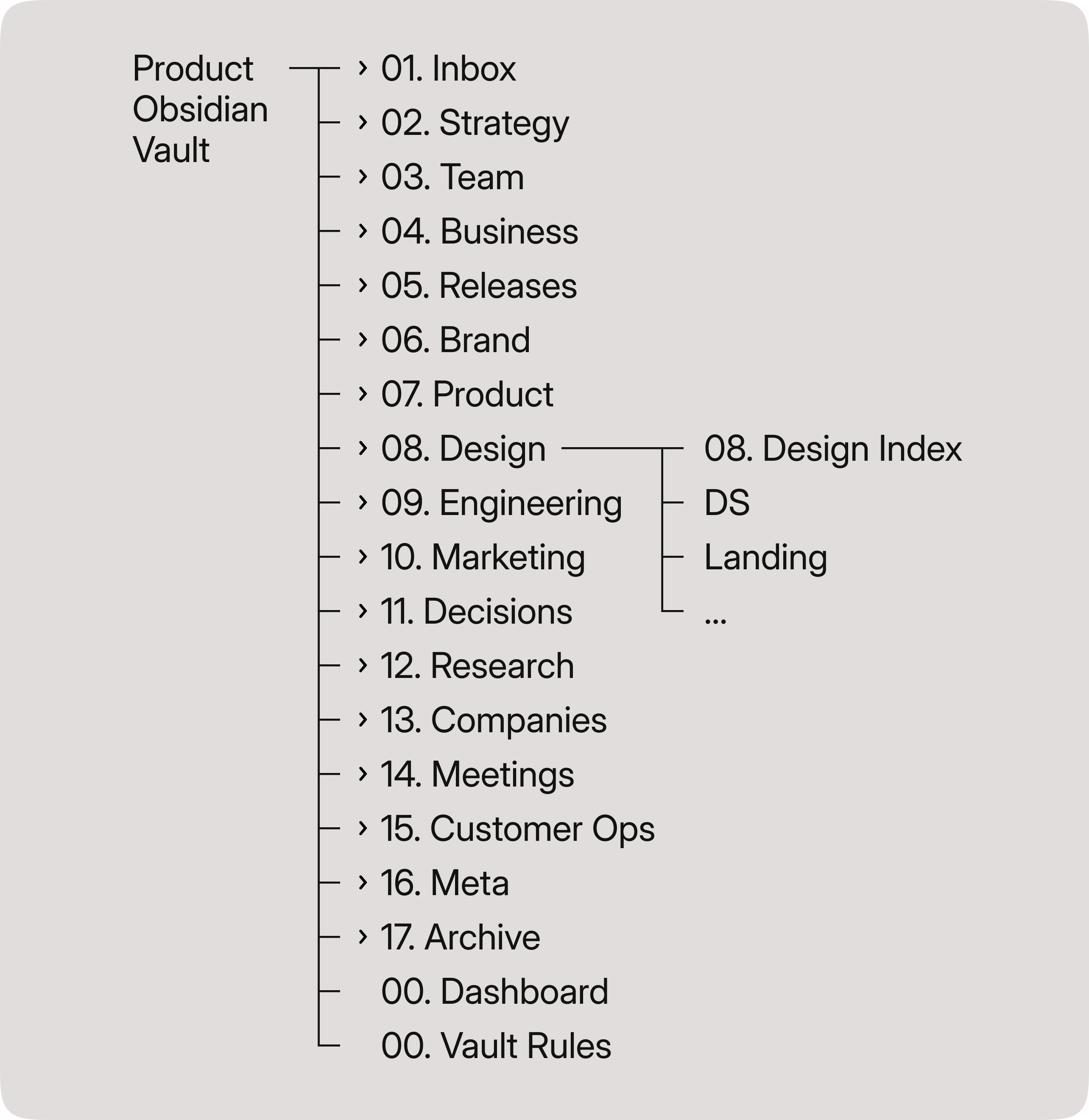
What happens without context
Without your context, an AI agent does one of two things. It reaches for the internet and open sources to hand you an average answer, or it invents something. That's useful for researching the real world. But when you're working on your own product, writing a post, or analyzing your behavior, it's more likely to mislead you.
The same gap gets worse with a team. A product with undocumented features and code becomes a headache for every new hire. When knowledge lives in heads and passes by word of mouth, it shifts with each retelling, and when someone leaves, it's gone.
I saw it at Avito. There were sections engineers refused to touch, because the legacy was so old no one knew how it ran anymore. An AI agent without context hits the same wall a new hire does. Except it can't walk over and ask a colleague.
An Obsidian and Claude knowledge base closes the gap. The context lives in plain text files. Claude reads them. Nothing gets distorted, nothing gets lost.
Why I gave my AI a second brain
I re-check everything my AI does. Letting go of control is hard for me. What helped me start delegating was one shared structure for me and the agent, so I always know where everything lives.
The personal base started a few years ago. I was sorting through old notes and realized a normal folder structure didn't hold up. So I moved to Obsidian and adapted Zettelkasten to how I think. It's been growing ever since.
To work on Baselife with my cofounder, I set up a second base for the product. The same principles held.
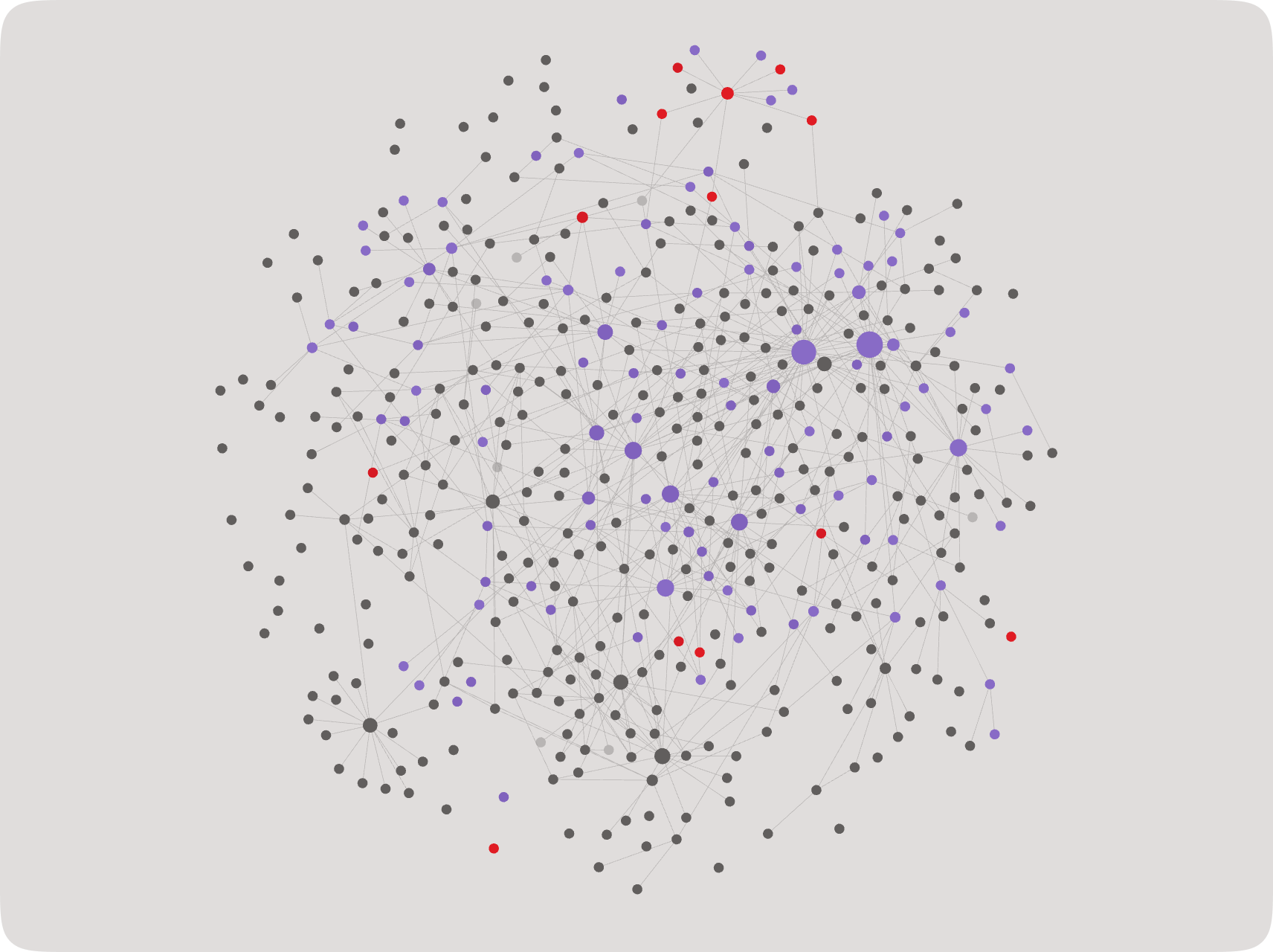
What my personal base is for
I use it every day. Here's what I reach for most:
- Context research: "Show me everything I know on a topic, and flag the gaps."
- Behavioral patterns: "Read my therapy notes and journal entries, and flag the destructive behavior I keep repeating."
- Content drafting: "Go through my post drafts on a topic and assemble a draft around the idea I'm chasing."
- Goal-setting: "Read my ten-year vision, yearly goals, monthly focus, and weekly tasks, and tell me what to focus on right now."
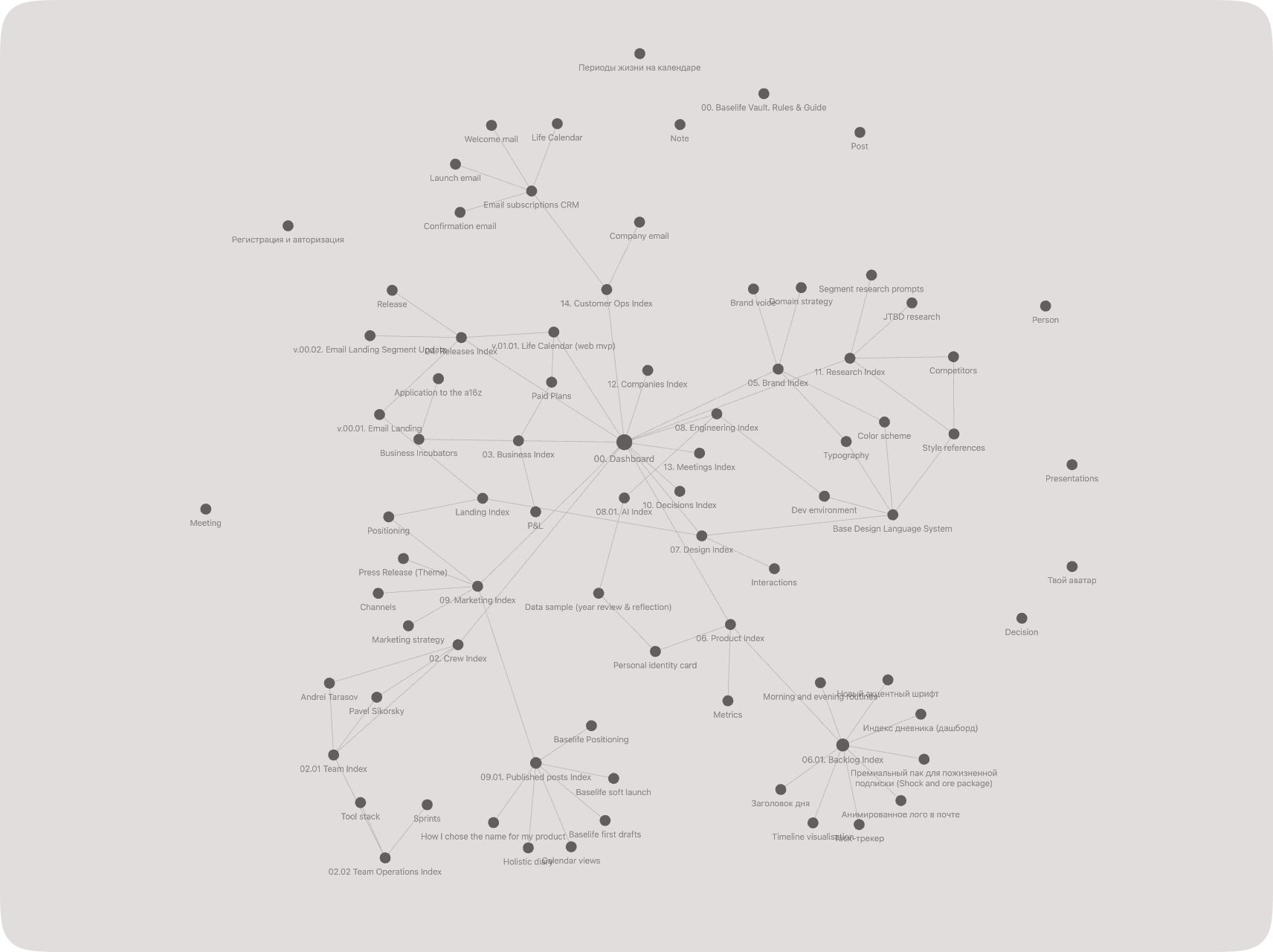
What the Baselife base is for
It's still small, so I do plenty by hand. But Claude already handles tasks like these:
- Status update: "What's done, and what's left before the MVP?"
- Backlog management: "Here's a feature I just thought of. Is something like it already in there? If not, add it."
- Promo content creation: "Using our tone of voice and marketing notes, draft a post that sounds like us."
- Deep research: "Start from what we already know so I'm not researching the same thing twice."
Download my template and set it up for yourself
You don't have to build this from scratch. I packaged the project version into a free template on GitHub →
A GitHub repo is just a folder you can download. This one holds the whole skeleton: the folders, an index note in each, six note templates, the rules file, and two ready skills for the agent.
To set it up: download the ZIP (or clone it), open the folder as a vault in Obsidian, and turn on two plugins: Dataview for the live indexes, and the built-in Templates for the note templates. Point your agent at the folder and it reads the rules on its own. No terminal, no code.
Or build your own from scratch
Maybe you want to understand every piece before you trust it, or shape the structure around your own work. Then build it by hand. One principle holds it together: design the structure first, then fill it. A pile of notes isn't a second brain. Structure is.
-
Pick a tool
The specific tool matters less than whether your team will actually use it. I use Obsidian. It's fast, and it's a thin layer over plain text files you can store anywhere. Plain text is the point. Both you and your agent can read it.
-
Design the structure
A simple structure is harder to get right than it looks. Iterate on it with your AI for your own use cases. Stay within two levels of nesting, or you'll confuse yourself and the agent.
What you'll need:
- An inbox for fast capture of anything incoming
- Topic folders (mine: design, marketing, engineering, brand, business)
- Process folders (team, processes, releases, meetings, decisions)
- Technical folders (templates, attachments, bases, archive)
- A dashboard so humans can find things fast
- A vault-rules document so the agent knows where to look
-
Add templates
For anything that repeats, create note templates with the metadata you want. Mine: Decision, Meeting, Note, Person, Post, Release.
-
Set up indexes
Each topic folder starts with one note describing what's inside and its current status. Every index links back to the dashboard and the main rules document. This makes things faster to find by hand, and cheaper for the agent to search in tokens.
-
Agree on the process
Working alone, this is optional. With other people, settle it early or the base turns into a dump.
Write down and talk through:
- How the inbox fills, who clears it, how often
- How to name files
- How to link notes, and whether unlinked notes are allowed (they're not)
- What to do with stale documents: archive or delete
- How to onboard new people
-
Set up sync
If you can, do it through GitHub. Version history and reliability, the industry standard. Your note app needs a Git plugin too. If that's too much, any cloud drive like iCloud will sync the folder.
-
Connect your agent
This is the part everyone's here for:
- Set up MCP between your agent and your notes so it can read and write.
- Write a rules document for the agent. Tell it your use cases and it will write the file and place it for you.
- Add skills for frequent tasks so the agent knows what you need without burning extra tokens.
-
Test it
Ask the agent to do a real task in your base. Watch it work with your context instead of guessing.
You already know how to do this
You design structure for other people's products every day: information architecture, naming, hierarchy, flow. A second brain is the same skill, turned on yourself and your work.
And you don't need to code for it. Claude walks you through the Git sync without any fuss. The only real work is the design, and that's already your job.
I'm building Baselife, and this base is how I work on it. If a journal and life calendar for living with more intention sounds like your thing, come see what I'm building.