My Experience with the reMarkable Paper Pro, a Tool for Slow Productivity
Two months ago, I bought a reMarkable Paper Pro. After years inside Apple’s comfortable ecosystem, I wanted to try something different: a device built for a calmer, more focused way to read, write, and design. Before that, I used an iPad for those same tasks, but often got sidetracked by the occasional mindless Fallout Shelter session.
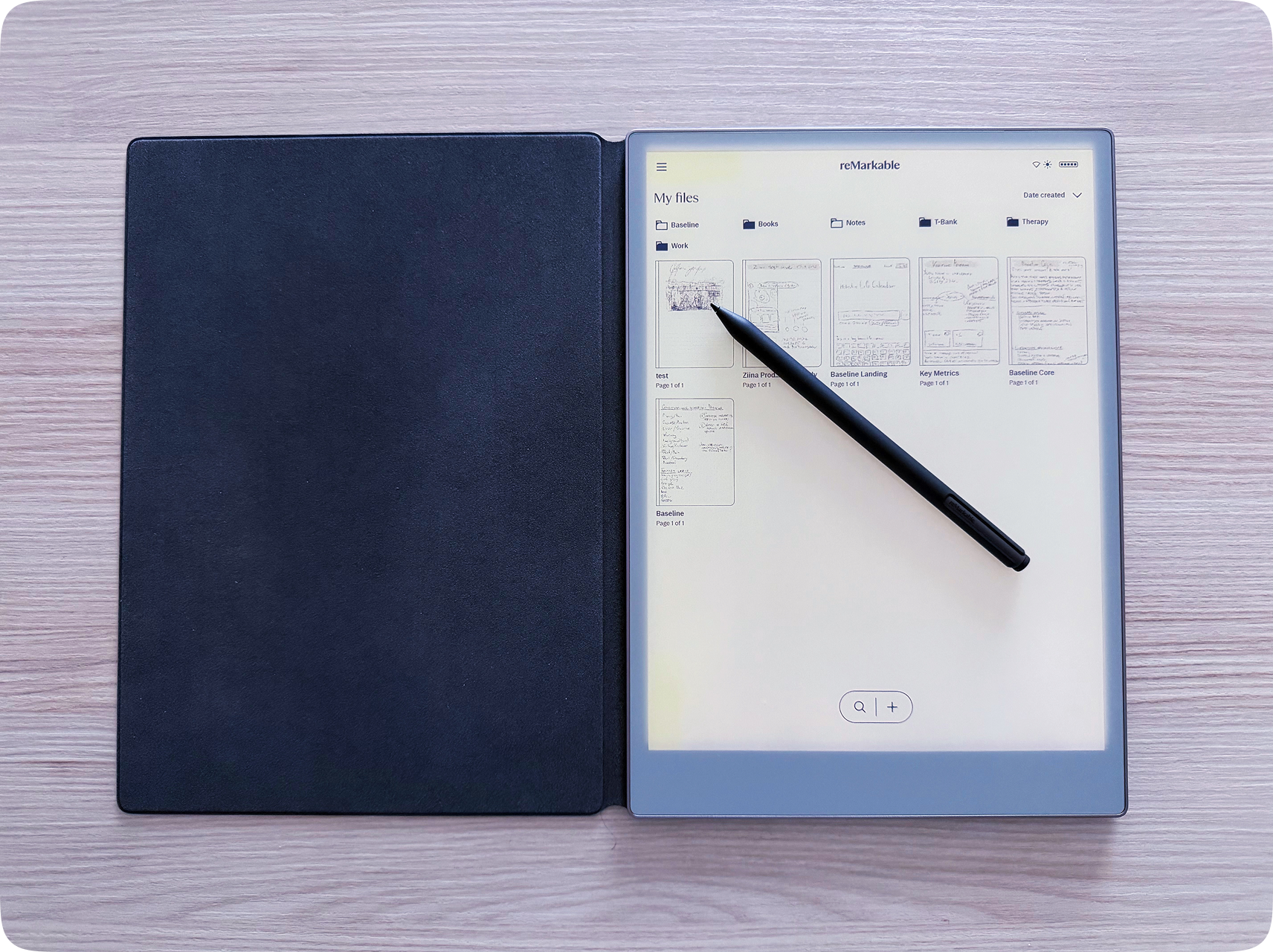
User experience: 9/10
This device is made for two things — reading and writing, and nothing else. No distractions, just the two jobs that actually matter to me. I love that. I take it everywhere now, instead of carrying a separate book and notebook.
It loads slowly, you can almost feel it thinking under the hood. It’s annoying, but in a strange way, that delay grounds you. It sets the pace for calm, focused work. You stop rushing, stop switching. You just do one thing, thoughtfully.
Screen: 8/10
At first, it feels unusually dim, even at maximum brightness. Years of doomscrolling on OLEDs have probably burned my retina’s expectations.
That said, it’s great for reading outside, even in bright sunlight, and surprisingly comfortable to read in bed at night.
There are eight highlight colors besides black. All of them dull.
Writing experience: 9/10
Writing feels great, noticeably better than on the iPad. Of course, it’s still not paper, but the advantages are clear:
- In paper notebooks I always write neat to save pages. Quick sketches end up on loose sheets anyway. They pile up, get lost, and are a pain to store.
- On the reMarkable, it feels good to make rough drafts and write messily. Everything stays saved, and there’s no fear of losing anything.
- There are several pen types, underlining options, an eraser on the back of the stylus, and handy gesture shortcuts.
- You can select and move written parts around when you realize something doesn’t fit.
- It recognizes handwritten English and some other languages, but not Russian (yet).
File storage: 5/10
The system inside is pretty standard: you create folders inside folders inside more folders. There are tags, favorites, and filters for different e-book formats. It’s easy to use, but not great for building a knowledge base.
My flow looks like this: I write on the tablet, then manually move the important notes into Obsidian, Notion, or my journal. That’s also when I do the first round of editing. It works for me, writing and editing are two separate rhythms that don’t overlap.
Battery: 6/10
The landing page promises two weeks of battery life. Mine lasts about eight days, maybe I got a faulty unit. Still, it’s definitely better than an iPad, but it feels like it could last longer.
Industrial design: 8/10
The tablet is solid, comfortable to hold, and good-looking.
The ribbed edges, oddly placed power button, and smudge-prone cover are annoying.
The pen looks worse than the iPad’s, but it works just fine.
Interface design: 10/10
Its brutal early-web aesthetic hits right in the nostalgia for anyone who remembers Web 1.0. Sharp squares without overused rounded corners, a monochrome beige palette, and electric blue accents.
File sync: 5/10
There are apps for every platform. You drop a book onto your desktop, and it shows up on the tablet. Same with files.
I’m currently on the trial plan. After three months, you either start paying or look for workarounds. Without a subscription, files older than 50 days don’t sync.
Page templates: 7/10
There are plenty to choose from — lined, grid, dotted, and even pre-formatted tables. Discovering them is surprisingly enjoyable.
Overall: 8/10
The reMarkable Paper Pro is a beautiful, well-designed device for reading and writing. It’s a bit overpriced, but I didn’t mind paying for something thoughtfully crafted in Norway.
They’ve recently released a smaller, pocket-sized version. The form factor feels a bit odd to me, though.